Creating a Case |
  
|
Creating a Case |
|
This section covers Creating a Case within CleanLink Site Manager. For help creating a case from the CleanLink Portal please see the Cases section in the Portal User Guide or Creating a Complaint to create a case from a mobile device.
Cases are linked to the site to which they refer. To open a new case, start from the relevant Sites page.
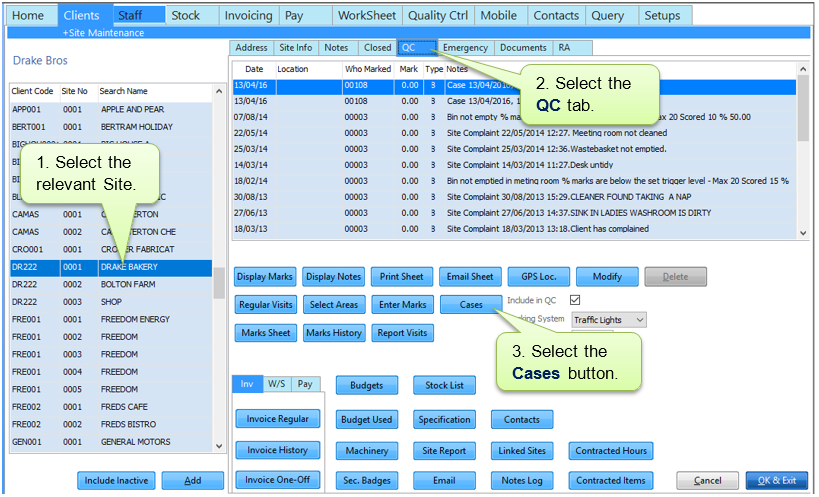
You will now see a list of all open cases for that site.

This will bring up the Add Case screen. Use this to record details of the case.

The case has now been created and has been issued with a Case Number.

Once a case is open you can add a comment, add a picture or export it to a mobile for further action. For further information see Updating a Case.
Once resolved a case can be marked as Closed. For further information see Closing a Case.