Managing Site Specification |
  
|
Managing Site Specification |
|
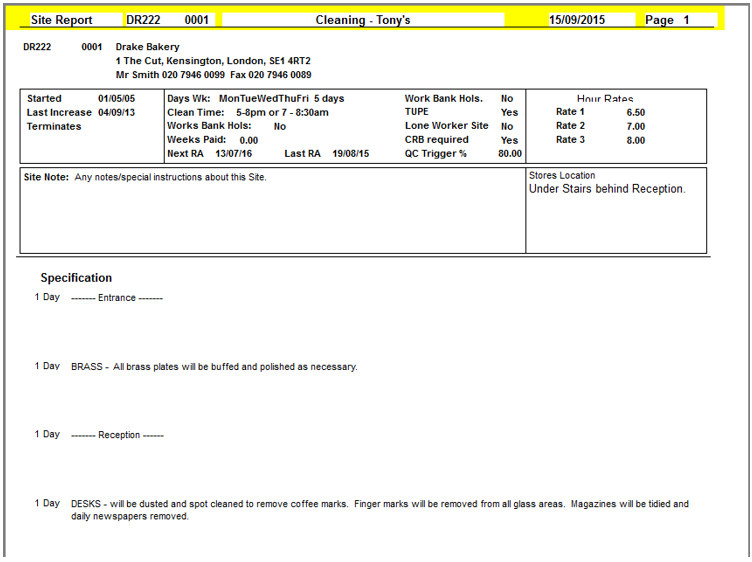
The Site Specification gives the details of regular jobs in the daily office cleaning. It can be printed out as part of the Site Report and is included in the information exported to mobile devices.
Access the Specification through Clients > B. Maintain Sites > Specification.
Amending a Line
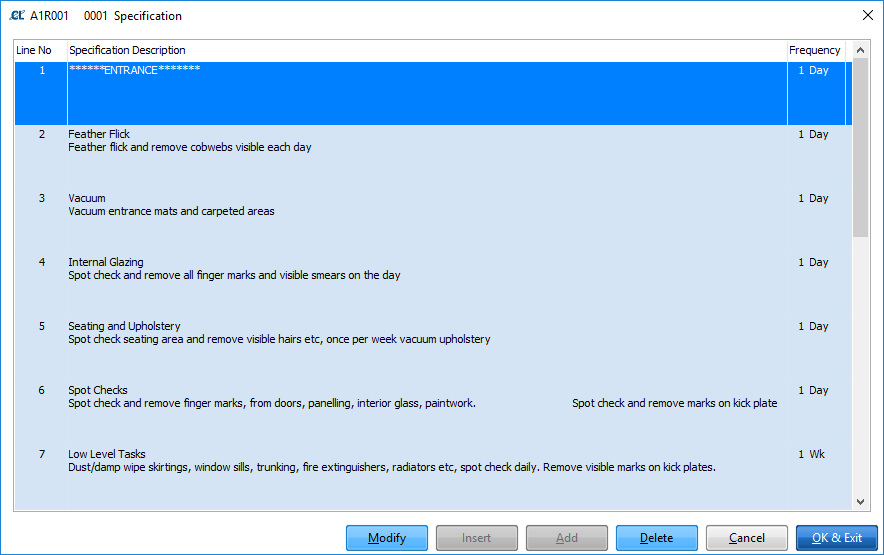
Select the required line and edit as required. If the page is in Query mode you will need to click Modify before proceeding.
Adding a Line
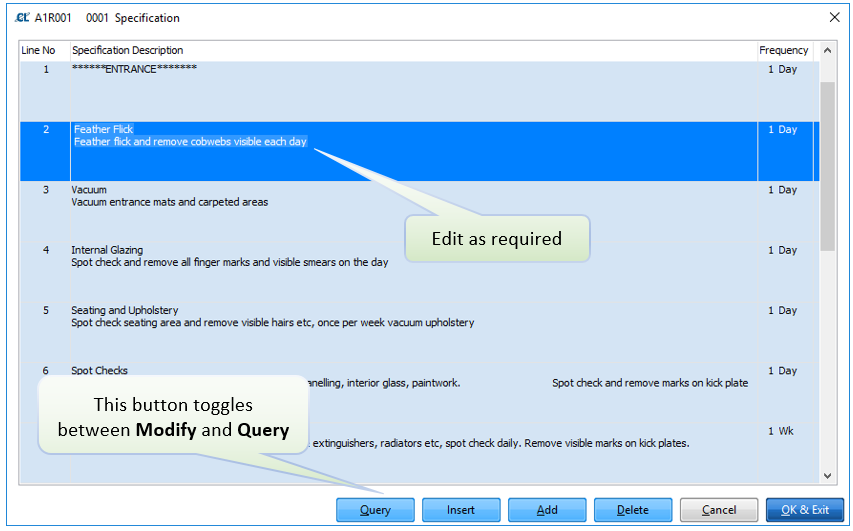
When adding a line you can choose to either add the new line at the end of the specification (Add button) or insert the new line below the current selected line (Insert button).
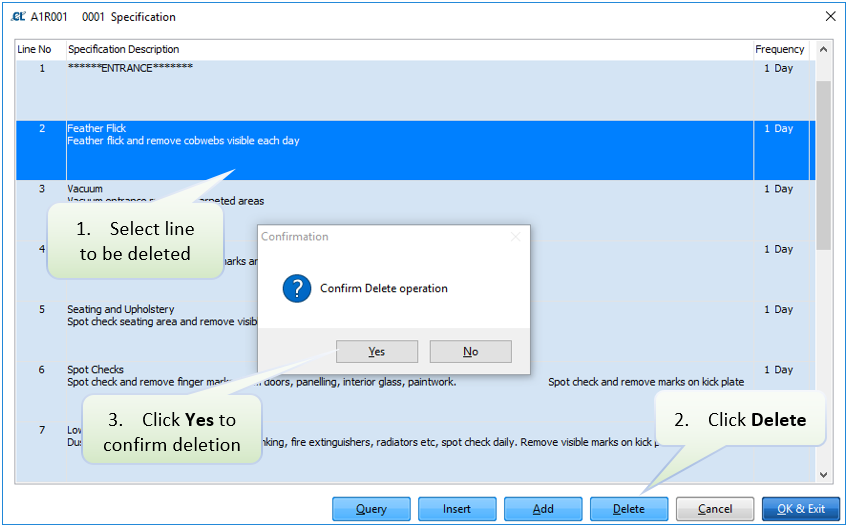
Deleting a Line
Printing the Specification
The Site Specification can be printed through the Site Report. Access this through Clients > B. Maintain Sites > Site Report.
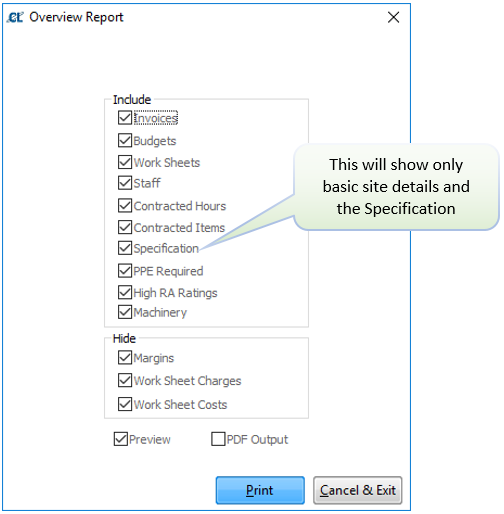
Example: