Invoice Summary |
  
|
Invoice Summary |
|
If the Invoice Summary option is chosen, the following dialog appears.
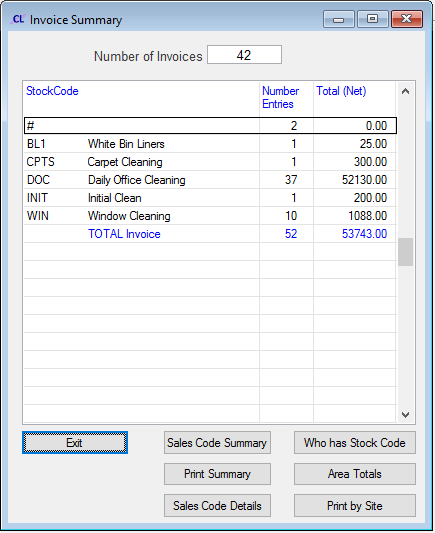
Report Buttons
These buttons may be used to generate summary reports. The output can optionally be sent to a CSV, a PDF, or previewed on the screen.
Sales Code Summary - Click this button to generate a breakdown of sales filtered by Stock Code.
Print Summary - Click this button to generate a list of sales, optionally sorted by Area.
Sales Code Details - This button generates a list of sales, one Stock Code per line, grouped by Sales Code.
Who has Stock Code - Click this button to generate a list of sales.
Area Totals - This button generates a list of total sales for each Area Manager.
Print by Site - This button generates a list of total sales for each Site
When finished, click Exit.