Uploading Invoices to the Portal |
  
|
Uploading Invoices to the Portal |
|
To upload Invoices from CleanLink, go to the Invoicing > B. Batch Print/Email Invoices
Use the Print Batch Invoices dialogue box to select the invoices that you want to upload to the portal. Ensure that you select the 'Output to Client Portal' tick box.
You can also send an email to your clients to advise them that their invoices have been uploaded on to the Portal. To do this, select the Send Email message tick box and then add your message.
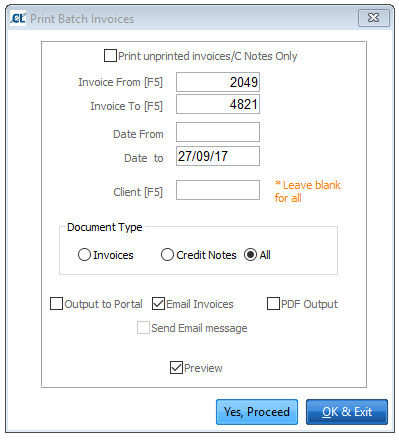
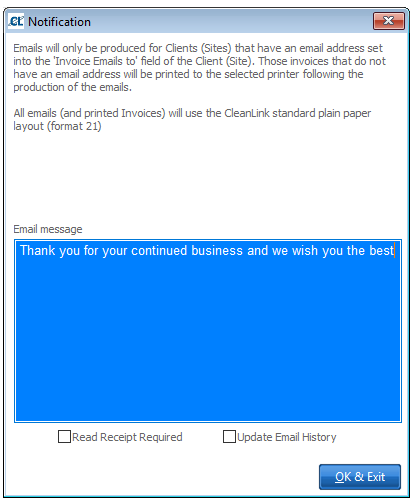
Select the Yes, Proceed button. The Invoices will be generated in pdf format and will be added in the corresponding Client\Invoices folders in the Portal.
Please Note: The upload process can take up to several minutes whilst the Invoice documents are generated and parsed into the Portal database.