Uploading QC Reports to the Portal |
  
|
Uploading QC Reports to the Portal |
|
To upload detailed QC Reports from CleanLink, go to Quality Ctrl > H.Detailed Report.
Use the QC Audits Report dialogue box to select the audit reports that you want to upload to the portal. Ensure that you check the 'Output to Client Portal' tick box.
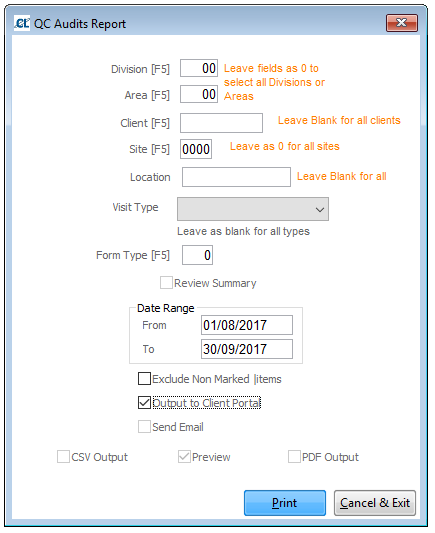
Select the Print button. The detailed QC Reports will be generated in pdf format and will be added in the corresponding Sites\Audits folders in the Portal.
Please Note: The upload process can take up to several minutes whilst the QC Reports are generated and parsed into the Portal database.
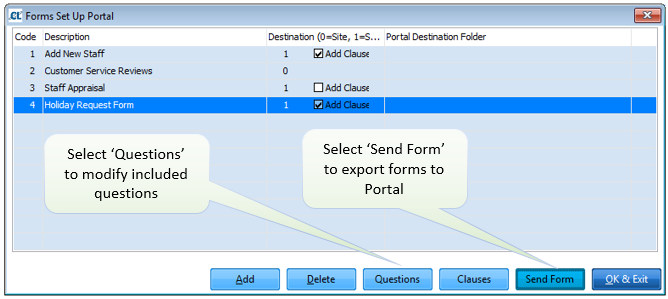
For Forms that are used on Sites, you can specify a separate Portal folder for each form type. Go to Mobile > R. Forms and select Send Form. The Portal will create a shared folder under Shared4Sites with that name and will post each relevant form as required.