Uploading Payslips to the Portal |
  
|
Uploading Payslips to the Portal |
|
To upload Payslips from CleanLink, go to Pay > A. Pay Cycles (Open and modify pay cycles) and select a completed Pay Cycle.
Select H. Reports > F. Payslips. Use the Payslip Print Range dialogue box to select your criteria.
Ensure that you check the 'Output to Staff Portal' tick box.
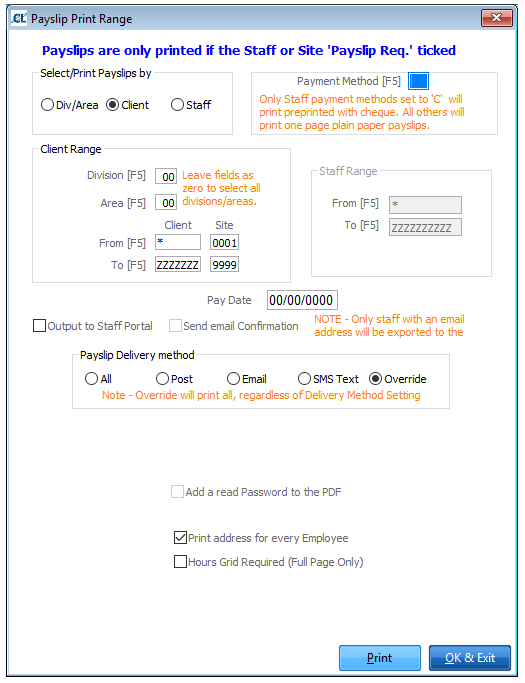
Select the Print button. The Payslips will be generated in pdf format and will be added in the corresponding Staff\Payslips folders in the Portal.
Please Note: The upload process can take up to several minutes whilst the payslips are generated and parsed into the Portal database.